

I called git_merge on a throwaway repository holding 1,506 loose objects, and on mcp-server-git 2026.11.11 the count dropped to 1,500. A merge is not supposed to run anything. It started git’s automatic maintenance anyway, and that is the kind of surprise behind the six vulnerabilities fixed in v2.5.0.
mcp-server-git is the git server in the official MCP servers repository, MIT-licensed and on PyPI. It hands an AI agent tools like git_status, git_diff, git_checkout and git_merge over a local repository. On 18 November 2026 the v2.5.0 release fixed eight vulnerabilities across three servers, and six of them are in this one. All six come from the same place: the repository you point the agent at carries its own configuration and files, and git trusts them.
My verdict: if your agent ever opens a repository you did not write, such as a contractor’s zip, a shared folder or a vendored tree, update mcp-server-git now. If it only touches your own repositories, you have a week.
Mettons a contractor sends me a project as a zip. I unpack it, my agent opens the folder and merges a branch so it can run the tests. That is the whole job of git_merge, and it is also the moment git does housekeeping behind your back. I installed both versions of the server in separate virtual environments and called their own Python functions against a throwaway repository. The numbers in the next two sections are from that run; where one comes from somewhere else, I name it.
What the six mcp-server-git fixes close
The release notes list six advisories for mcp-server-git 2026.11.18. They all come down to one fact, that the repository carries its own settings, and each one is a different way in:
- A successful
git_merge, fast-forward included, ended ingit maintenance run --auto, whose garbage collection runs the commands a repository’sgc.recentObjectsHooknames (GHSA-h2g3-rwxm-xfm3). - A read-only tool needing a missing object made git fetch it from a promisor remote, and the repository names the program that does the fetch.
- After a checkout or merge writes the working tree, a filter or merge driver could appear that the server had already emptied once.
- A filter driver with an empty name slipped past the server’s list of drivers.
- A crafted
.git/indexnaming../outside/secretmadegit_diffreturn a file outside the repository. - With
diff.submodule=diff, a submodule’s owndiff.externaland textconv drivers ran.
The other two of the eight are one each in server-filesystem 2.4.0 (a directory swapped for a symlink between the check and the listing) and server-everything 2.3.1 (an IPv6 form of a private IPv4 address that the URL guard read as public).
Does git_merge really start maintenance on the old server?
I wanted to see the first one happen, because it is the one that sounds like a stretch. A merge is not a command that runs anything. But git does start git maintenance run --auto after some commands, and the release notes say that includes a merge.
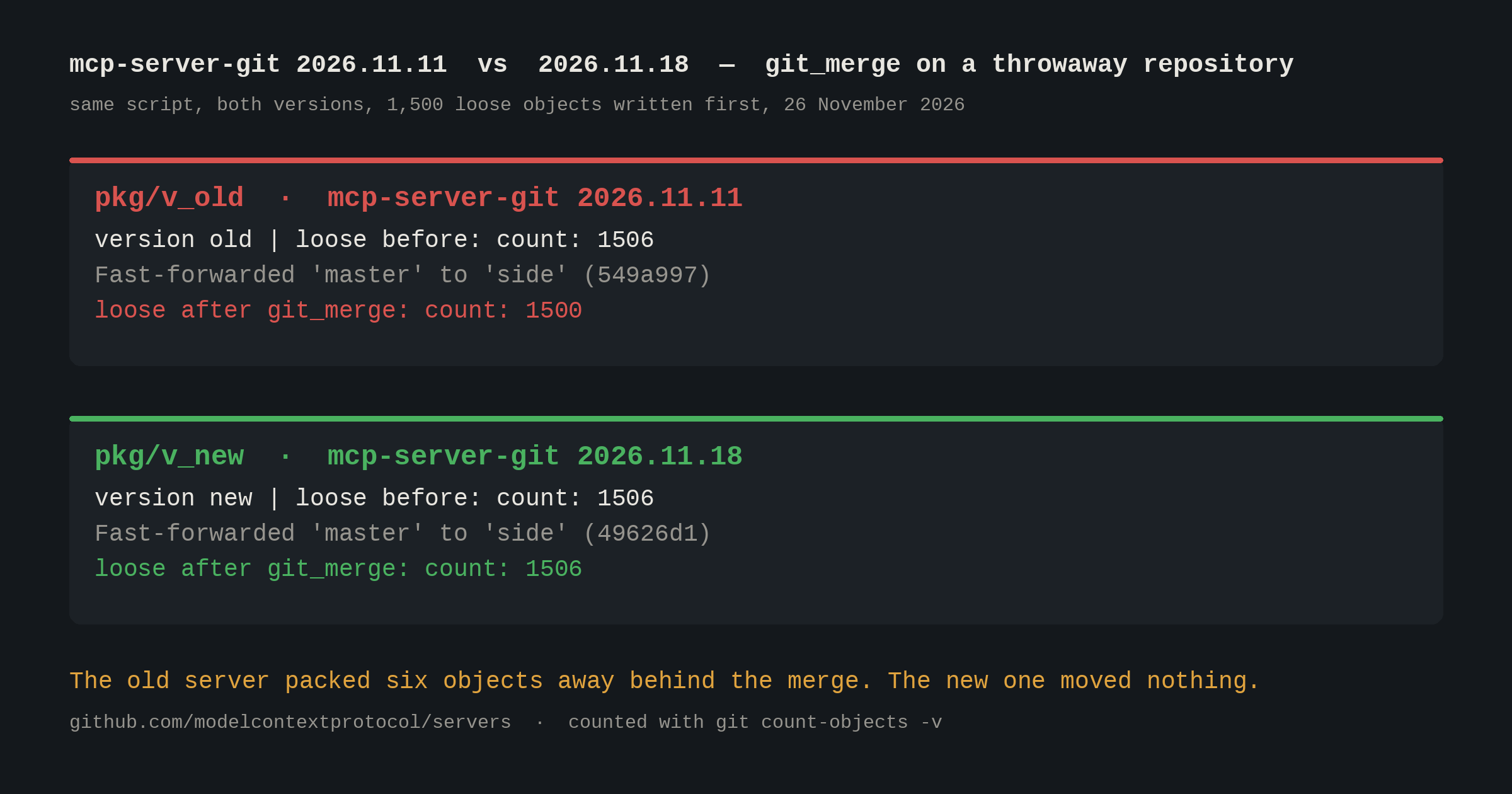
The setup: a repository with two commits, a side branch one commit ahead, gc.auto set to 100 and 1,500 loose objects written with git hash-object -w. Then I called git_merge(repo, "side") from each server version. This is the measured result, on git 2.39.5.
| Server version | Loose objects before | After git_merge |
|---|---|---|
| mcp-server-git 2026.11.11 | 1,506 | 1,500 |
| mcp-server-git 2026.11.18 | 1,506 | 1,506 |
On the old version git packed six loose objects away, which means automatic maintenance ran. On the new one nothing moved. The same experiment with plain git merge, once with -c maintenance.auto=false -c gc.auto=0 and once without, gave the same split: 1,506 to 1,500 without the flags, 1,506 to 1,506 with them.
What I measured is the launch. The hook that makes it dangerous is a cruft repack setting, and the server’s own source comment says the cruft repacks that run the hook need git 2.42 or later. My git 2.39.5 has no gc.recentObjectsHook at all, and a search of git’s binaries for the setting’s name finds nothing, so the payload never had anything to run. The git documentation describes the hook as a shell command run when git decides whether to keep an object. On a current git, a repository that sets it has a program run by your agent’s merge.
How much code did the fix take?
Less than the advisory count suggests. The server keeps a tuple called HARDENED_CONFIG, a list of git settings it forces on every command through environment variables. In 2026.11.11 it held 8 entries, for core.fsmonitor, core.hooksPath, core.pager, commit.gpgSign, merge.verifySignatures, submodule.recurse, status.submoduleSummary and merge.autoStash. In 2026.11.18 it holds 12. The four new ones are core.untrackedCache, diff.submodule, maintenance.auto and gc.auto.
The code comment is the best part of the diff. It says gc.auto is only a backstop for the gc task and “does not replace maintenance.auto“, and that the hook cannot be emptied the way a filter driver can, because it is multi-valued: an empty override adds a value instead of replacing the repository’s. So the obvious fix, an empty override, does not work for this one.
The rest is bigger. server.py went from 1,518 lines to 1,801, with 314 lines added and 31 removed by a plain diff, and the package gained a new 89-line transport.py. The promisor fix has a rule I liked: git only honors GIT_NO_LAZY_FETCH from 2.45.1 and from the maintenance releases made with it, so the server keeps a table, minor version to first safe patch, and refuses a repository that declares a promisor remote when your git is older. I called the function on my box: git 2.39.5 passes, 2.39.3 does not.
That is the part to take from the release. The server does not try to understand what a hostile repository is. It overrides settings it knows can start programs and turns the session into a place where the repository’s own config does not count, and each advisory found one more setting on the list. Me, I’d bet the list is still not finished, and the release notes agree with me in two places.
How to upgrade the three servers
To update mcp-server-git it is one command, and the package metadata pins the MCP Python SDK at mcp>=2.3,<3, so check your other servers before you move:
pip install -U mcp-server-git==2026.11.18The filesystem server has a trap. Its older releases used date versions (2025.1.14 through 2026.8.31 are affected), and the TypeScript servers moved to semantic versions at 1.0.0, so a package manager ranks 2.4.0 below every date version and will never offer it as an upgrade. Install it by name:
npm install @modelcontextprotocol/server-filesystem@2.4.0The everything server goes to 2.3.1 the same way. v2.5.0 itself still has two gaps, #5599 and #5600; both have fixes merged on the v2/main branch on 18 November (PRs #5627 and #5622), and no release carries them yet. The first: the --repository confinement check is not repeated after a checkout or merge writes the tree (#5599), the second: on Windows a directory listing is not yet anchored against the swap (#5600).
Who should update mcp-server-git today
If your agent opens other people’s repositories, upgrade the same day, and do not let it run merges in an unpacked archive or a shared folder you did not build until you have. That is the case where the repository’s config is written by someone who is not you, and all six fixes are about that case. The server’s own README says it: a repository’s configuration and hooks travel with it, in an unpacked archive, a shared folder or a vendored tree. A plain git clone or git fetch does not copy .git/config, so a branch pulled from someone’s fork is not the route; a copied directory is.
If it only works in repositories you wrote, the config in them is yours, and the risk is a bad copy of your own file. Upgrade this week with everything else. I would not scramble.
I also went back to my own post on who maintains the official MCP servers, where I counted one account writing 86 of the 88 commits in v2.4.0. Bon. In v2.5.0 the same login, cliffhall, wrote 83 of the 86 commits since v2.4.0, a week earlier, and the release came with a table of affected and fixed versions for the three packages. One maintainer answering that fast is a point in the project’s favour.
