
Hand real work to a team of AI agents. Keep the final say.
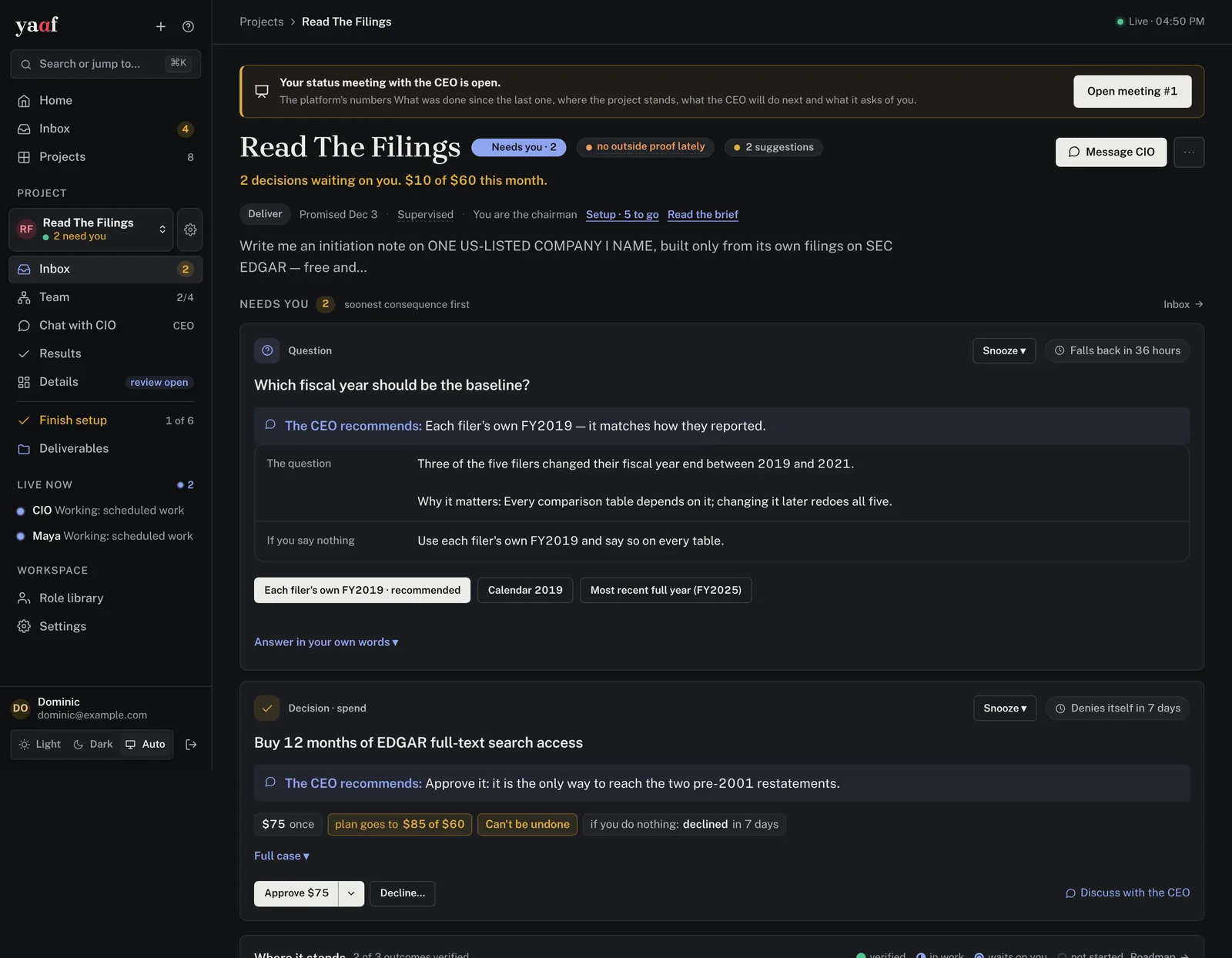
Describe a project in a paragraph. yaaf hires a CEO and specialist teams, gives them a budget and a deadline, and keeps them working for days or weeks. You’re the chairman: you get a daily letter and only the decisions that need you.
# no server, no API key
$ git clone https://github.com/dominicplouffe/yaaf
$ cd yaaf && python3 -m venv .venv
$ .venv/bin/pip install -e .
$ .venv/bin/yaaf rehearse examples/01-your-first-hour.json

✓ scripted agents run a real project
✓ see where it would stall
✓ see what it would cost
I spent a year writing about why agents break. Then I built the fix.
Every failure below is in my guides. In yaaf, each one is a rule the server enforces, not a line in a prompt that a clever model can talk its way around.
“Done” means verified. The platform runs the tests itself, and an agent’s word is not enough.
Work has to point at an outcome. Without outside proof, new internal-only work is refused until evidence lands.
Every run is metered. At the budget limit, the project pauses itself and tells you.
The date comes from measured pace. If it slips, new work freezes until you cut scope or reset the date.
An agent that breaks a rule doesn’t get a stern reminder. It gets HTTP 403
From a paragraph to weeks of supervised work
- Describe it
Write what you want in your own words. From the dashboard, the CLI, or Claude.
- yaaf drafts the team
A CEO, specialist teams, a budget and a delivery date. You approve or change any of it.
- Rehearse for $0
Scripted agents run the whole plan, so you see where it stalls and what it costs before spending a cent.
- Run it as chairman
Agents work for days or weeks. Each morning you get a letter: what happened, and what needs you.
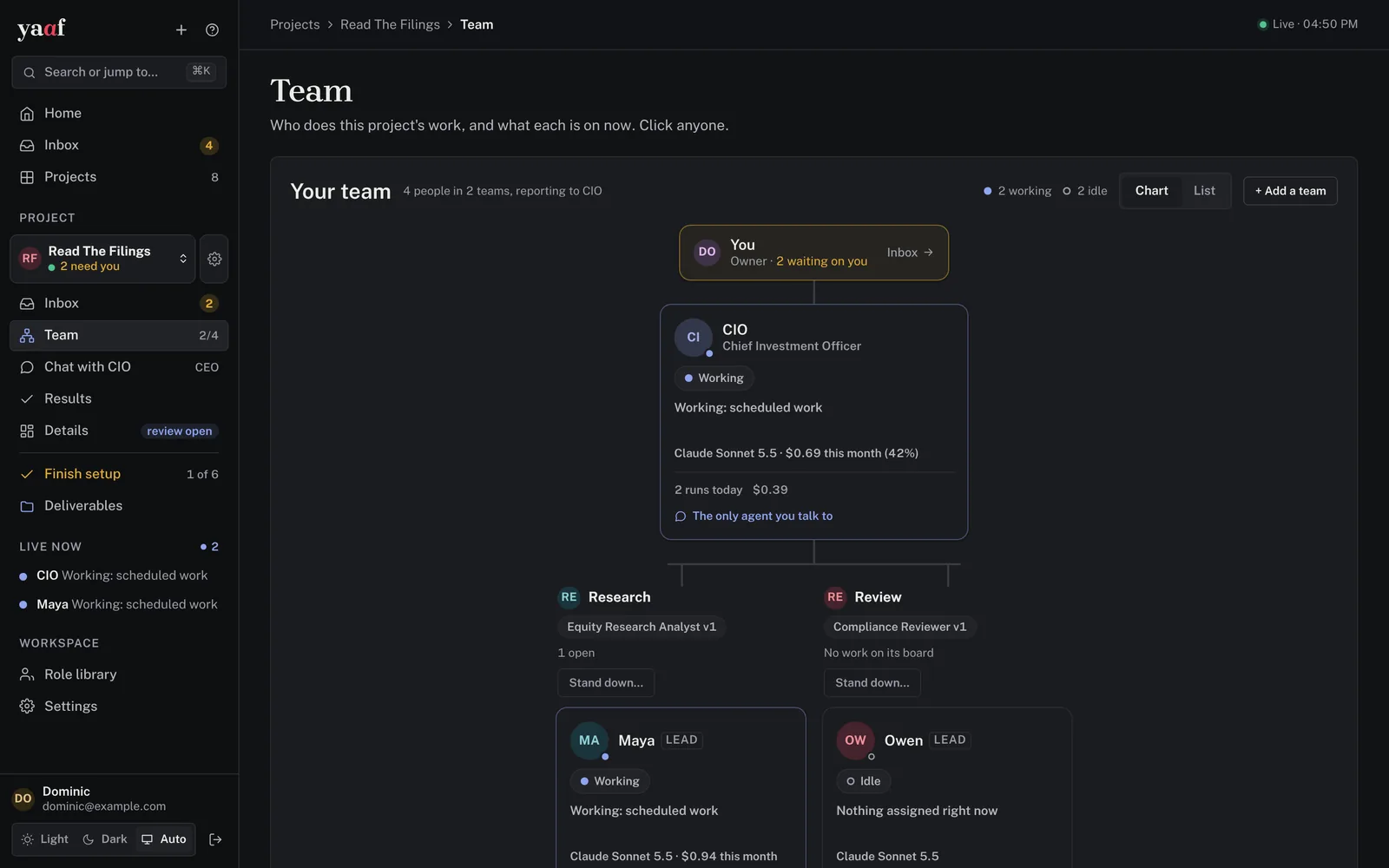
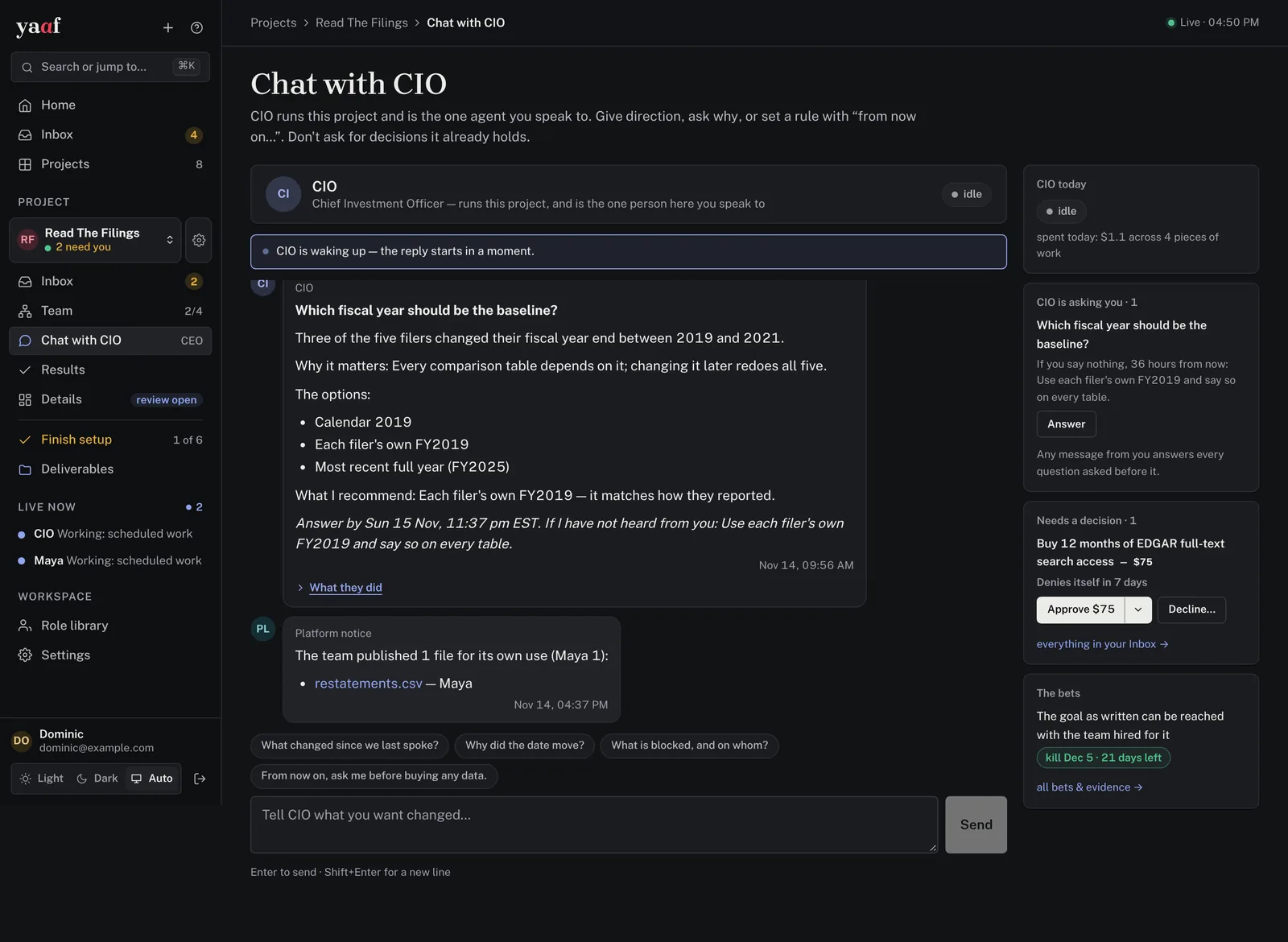
One agent to talk to. A full record of everything else.
Built for work that runs unattended
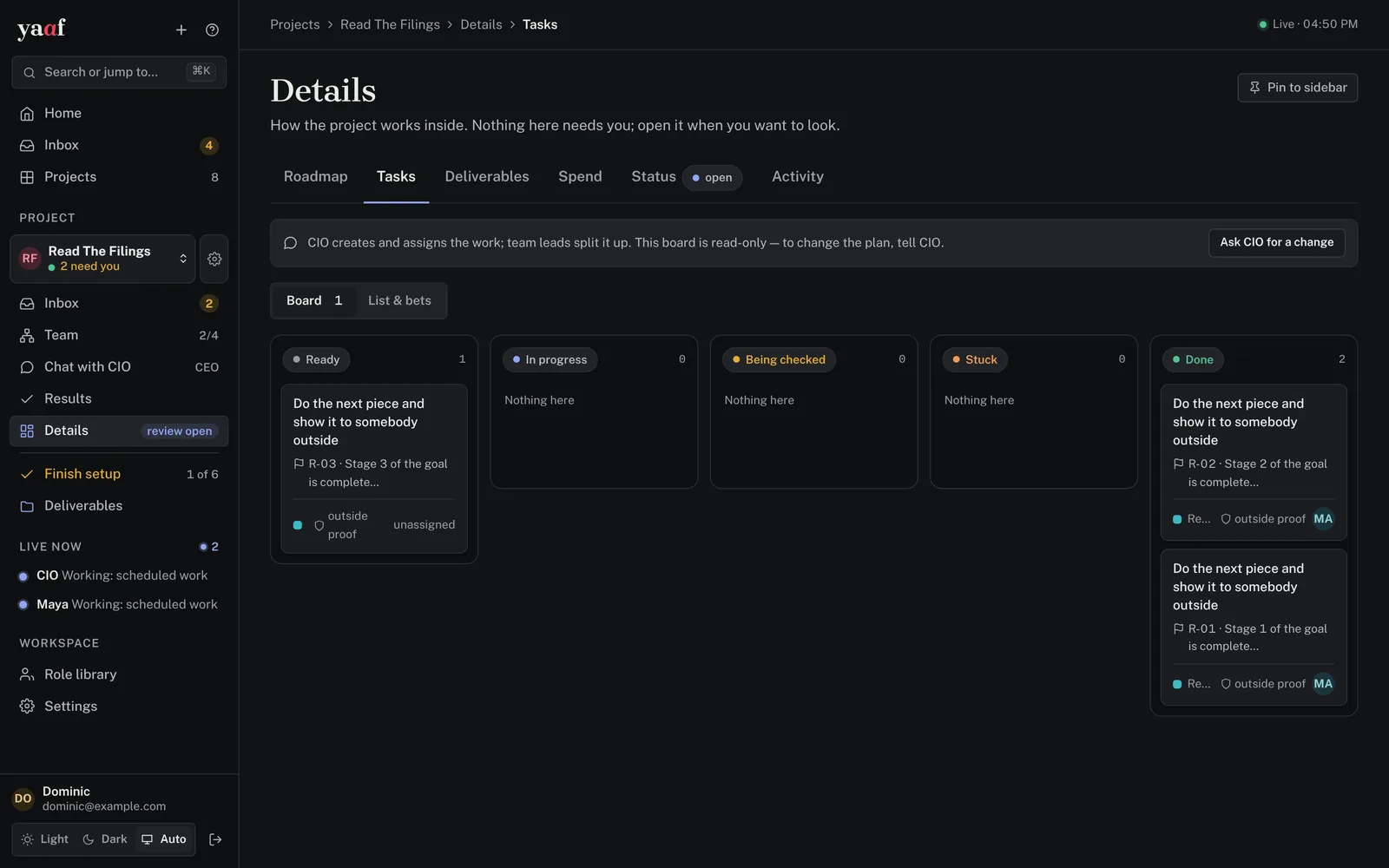
It picks the next task, assigns it, and checks the result while you’re away.
Anthropic, OpenAI, Google, Mistral, DeepSeek, a local Ollama and more.
Claude Code, Codex, Gemini CLI, OpenCode, or yaaf’s own loop.
yaaf is an MCP server: steer projects from Claude Code, Claude Desktop or claude.ai.
Every message, run, dollar and decision is kept.
On your laptop or your server. No account, no hosted service, no telemetry.
Pick one
Then open localhost:24247/app, add a model key under Settings → Providers, and create a project. Full steps are in INSTALL.md.
Rehearse it
No server, no key. Python 3.12+.
$ git clone https://github.com/dominicplouffe/yaaf
$ cd yaaf
$ python3 -m venv .venv
$ .venv/bin/pip install -e .
$ .venv/bin/yaaf rehearse \
    examples/01-your-first-hour.json
On a server, with Docker
The way to run it for real.
$ git clone https://github.com/dominicplouffe/yaaf
$ cd yaaf
$ deploy/deploy_single_server.sh \
    --admin-email you@example.com
Connect Claude
Start with the read scope; add steer, create or configure later.
$ yaaf login
$ yaaf mcp-token mint my-laptop \
    --scopes read
$ claude mcp add --transport http \
    yaaf http://localhost:24247/mcp \
    --header "Authorization: Bearer ymt_…"
The rules live in the server, not in the prompt
The server holds every rule and decides when an agent should wake. The runner starts each agent run in a fresh sandbox. Agents act only through the server’s API, with short-lived tokens, so a rule can’t be argued with. It can only be met.
Good to know before you start
It’s young: the first commit was in August 2026, built in the open with Claude Code.
- It’s pre-1.0. APIs still change.
- It costs real money. Agents pay your model provider directly, with your key. Rehearse first.
- It’s not for quick tasks. For a one-off job you watch, a single agent is cheaper. yaaf is for work that runs unattended for days or weeks.
- Mind the machine. Read SECURITY.md before running agents somewhere that matters.
Read the guides yaaf came from
Rehearse a project tonight. It’s free.
If you try it, I’d like to hear what breaks. Open an issue on GitHub, or tell me directly.